Returning a Package Without a Printer: Packstation Retoure, Explained
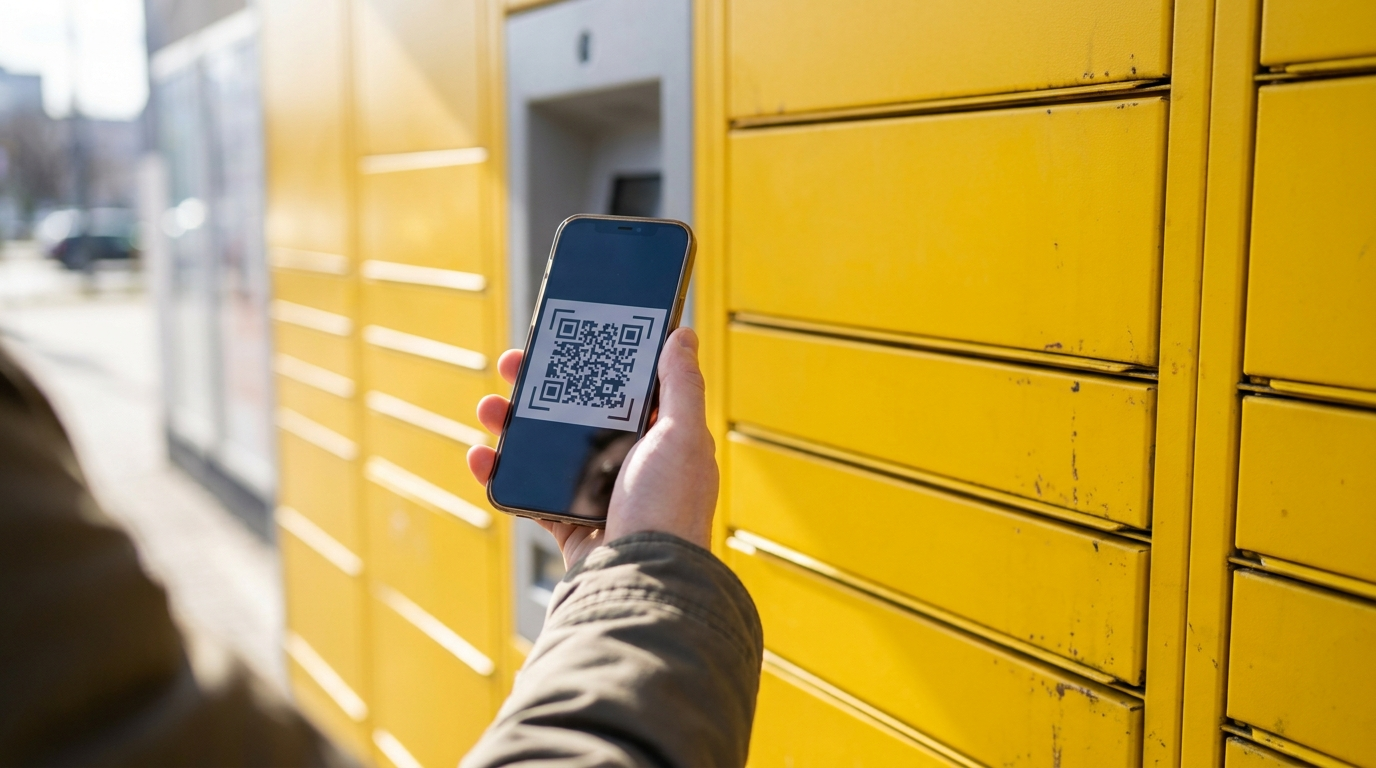
You don't need a DHL account or your own printer to return an online order at a Packstation. Whoever you're returning to, Amazon, Zalando, Otto, and most major German retailers, typically sends you a QR code by email or in their app rather than only a PDF label. Scan that QR code at the Packstation screen, choose a compartment size, place your item inside, and you're done, no registration required, since sending and returning at a Packstation has never needed a Postnummer the way receiving a package there does. If your specific Packstation lacks its own on-site printer, you can still scan the code and place the unlabeled item inside, the courier prints and attaches the actual label when they collect it later. The real limitation is that a Packstation genuinely cannot process a bare PDF label with no scannable code at all, so if that's all your retailer gave you, your realistic options are a copyshop, a drugstore photo kiosk, a library's self-service printer, or asking the retailer whether they offer a QR-code return as an alternative to their PDF.
The Official Rule
If you’ve just moved to Munich and don’t own a printer yet, or simply never got around to buying one, returning your first online order can feel like it’s designed to trip you up. It isn’t, once you know which piece of the puzzle actually matters: the code, not the printer.
DHL’s own official guidance confirms that QR-code returns work at Packstations, DHL Filialen (branches), and Paketshops without any registration required. This traces back to DHL’s “Mobile Retoure” system, which most major German retailers, Amazon, Zalando, Otto, About You, and others, have built into their return process since 2019. When you request a return, check whether the retailer offers you a QR code by email or in their app, rather than assuming a PDF is your only option.
| Situation | What to do |
|---|---|
| You have a QR code and the Packstation has a printer | Scan the code, select a size, drop it in, done |
| You have a QR code but the Packstation has no printer | Scan the code, drop the item in unlabeled, courier labels it later |
| You only have a PDF with no scannable code | Print elsewhere first, a Packstation can't process this alone |
| You have no code at all | Generate a return label via the Post & DHL App at the machine, or ask the retailer for one |
One detail worth knowing before it surprises you: sending and returning parcels at a Packstation has never required a DHL account. That’s specifically a receiving-side requirement, since DHL needs a way to notify you and confirm your identity when a package is waiting for pickup. As of a July 2025 pilot DHL announced, even receiving is starting to loosen for orders from participating shops, but for a return you’re sending out, that requirement was never there in the first place.
What Real People Say
This confusion is common enough that it shows up repeatedly on German consumer question sites, not just among newcomers navigating an unfamiliar system, but among longtime residents too: variations of “I have a return label but no QR code and no printer, what now” turn up again and again. That’s a reasonably strong sign this isn’t a rare edge case, it’s a structural gap between how some retailers generate labels (PDF-first) and how Packstations are actually built to work (code-first).
Worth flagging honestly: the unlabeled-drop-off option, where you scan your code and leave an item without a physical label for the courier to label later, is genuinely convenient but not entirely risk-free. There are documented accounts of a courier failing to attach the label correctly before a package got sent back or lost, which matters if your return deadline is tight. If you’re working against a strict window, a staffed DHL Filiale or Paketshop, where someone can confirm the label is correctly matched to your parcel on the spot, carries less of that specific risk than an unattended Packstation drop-off.
Step by Step
- Check what format your retailer actually gave you before assuming you need a printer. Look for a QR code option in the return confirmation email or the retailer’s app, not just the PDF attachment.
- If you have a QR code, head to any Packstation, Filiale, or Paketshop. No DHL account or Postnummer is required for this.
- At the Packstation screen, select ‘Versenden’, scan your code, choose a compartment size, and confirm. If the machine has no printer, place your item in unlabeled and let the courier handle the physical label at collection.
- If your return deadline is genuinely tight, prefer a staffed Filiale or Paketshop over an unattended Packstation for the unlabeled-drop-off scenario, since a person confirming the label on the spot reduces the small risk of a mislabeling mishap.
- If you truly only have a PDF with no scannable code, print it before heading out, a copyshop, a drugstore photo kiosk, or a library self-service printer are all realistic options in most Munich neighborhoods.
- If none of that’s convenient, check the retailer’s return portal for a QR-code alternative before resigning yourself to finding a printer, many larger retailers support both formats even if their default email only shows you one.
Compliance Note
This page explains the general process for returning packages via DHL Packstation in Germany, current as of mid-2026. It is not legal advice. Exact menu steps, participating retailers, and registration-free pilot programs can change. Confirm current details directly with DHL or your specific retailer’s return policy if a strict deadline is at stake.
FAQ & Common Pitfalls
Do I need a Post & DHL account to drop off a return at a Packstation?
No. DHL's own help page states this plainly: everyone can send parcels and packages at a Packstation, registration isn't necessary. This applies whether you already have a QR code emailed to you by the retailer, or you're generating a return label yourself using the Post & DHL App at the machine by entering a PAK-ID or RET-ID. An account, a Postnummer, is only required for the separate scenario of receiving a package at a Packstation, and even that got a registration-free pilot for some retailers starting in July 2025.
My retailer only gave me a PDF, no QR code. What are my actual options?
A Packstation genuinely can't process a bare PDF with no scannable code, there's no workaround for that specific combination. Realistic options: a copyshop can print it for roughly 10 to 20 cents a page, a drugstore's photo printing kiosk (Rossmann is a common option) can often print from a screenshot, many public libraries offer self-service printers, and it's worth checking whether your retailer's return portal offers a QR-code alternative to the PDF, since many larger German retailers support both formats even if the default email pointed you toward the PDF.
What if my Packstation doesn't have its own printer?
You can still use it. Scan your QR code (or key in the code manually if the scanner has trouble) at the screen, select a compartment size, and place your item inside without a physical label attached. The courier prints the actual shipping label and attaches it when they collect the parcel later. This does carry a small real-world risk worth knowing about: there are documented cases of unlabeled drop-offs going astray when staff didn't attach the label correctly before the return deadline, so if your return window is tight, a Filiale or Paketshop where a person physically confirms the label right away is a slightly safer bet.
How do I actually use the touchscreen at the Packstation?
Tap the screen to wake it, select 'Versenden' (Send), scan the barcode or QR code of your label, choose the compartment size that fits your item, place it inside and close the door, then confirm on screen. You can optionally enter an email address or your Postnummer if you want a digital receipt confirming the drop-off. Exact menu wording can vary slightly between machine generations, but this sequence is the standard flow.